Regex 2.5 · Saved Tests
Keep the whole regex test.
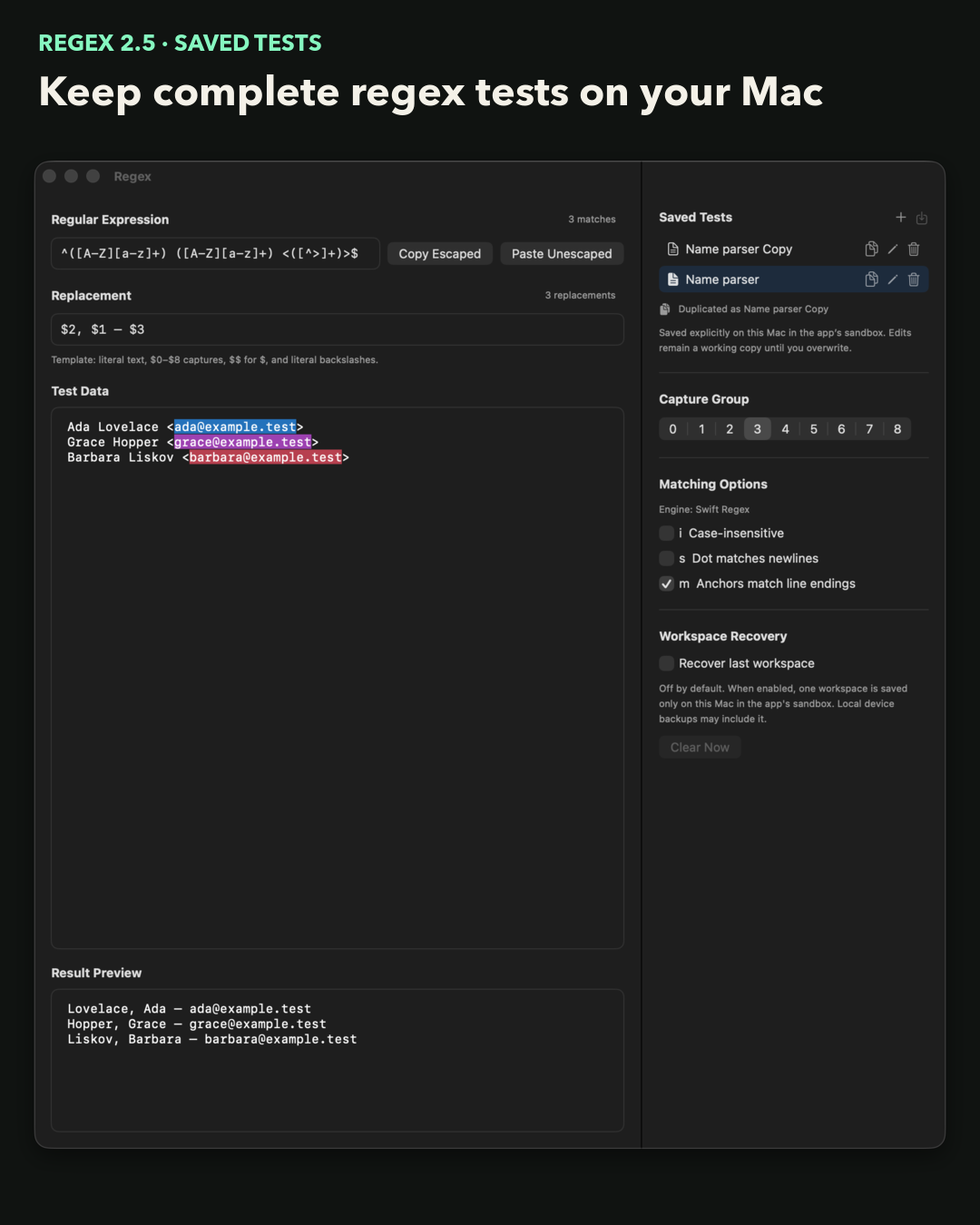
Save the pattern, Test Data, replacement, capture group and matching options together. Open it later or duplicate it before trying a variant.
Buy Regex on the Mac App StoreUS$13.99Saved tests stay in the app sandbox on this Mac. There is no account, network service or cloud sync.
Inspect the four states
The complete workspace
Return to the test, not a blank editor.
Keep the inputs together
The pattern, Test Data, replacement, selected capture group, and i, s, and m options reopen together.
Edits stay a working copy
A named test changes only when I explicitly overwrite it.
Try a variant
Duplicate first. Keep the original.
Open a saved test as a working copy, duplicate it, and overwrite only the copy after the variant works.
Save As
Name the complete workspace.
Open
Reopen it as a working copy.
Duplicate
Make a separate variant first.
Overwrite
Update only the opened test.
Reopen
Return to the unchanged original.
Regex 2.5 · macOS 14.2+
Saved locally on this Mac.
Saved tests are JSON files under Application Support inside the app sandbox. Regex has no account, uploads, network service, cloud sync, third-party SDK, or app analytics. The MotionObj website uses Clicky and PostHog analytics. Read the Terms.
Regex tests Swift Regex behavior. I still check the final grep, sed, nginx, editor, or code path before using a pattern on important data.
Compare Regex with regex101 before choosing a workflow.